Keptby Gnilebat Labs
Get the app
No subscription · nothing locked

Swipe your gallery clean

Kept is a photo cleaner for Android that makes sorting thousands of photos feel quick. Swipe left to delete, right to keep, and let Kept find the duplicates, retakes, blurry shots and forgotten videos for you.

  • Free
  • Android 11 or newer
  • 12 languages
  • No account
Similar photos in Kept: three shots of the same moment, the sharpest one marked
  • Stays on your phoneNo account, no upload
  • Nothing deleted by surpriseDeleted photos go to the phone’s trash first
  • No subscriptionEvery feature free, ads removable once
How it works

Three steps to a tidy gallery

No setup, no sign-up. Open Kept and start swiping.

  1. DeleteKeepBookmarkSkip
    01

    Swipe

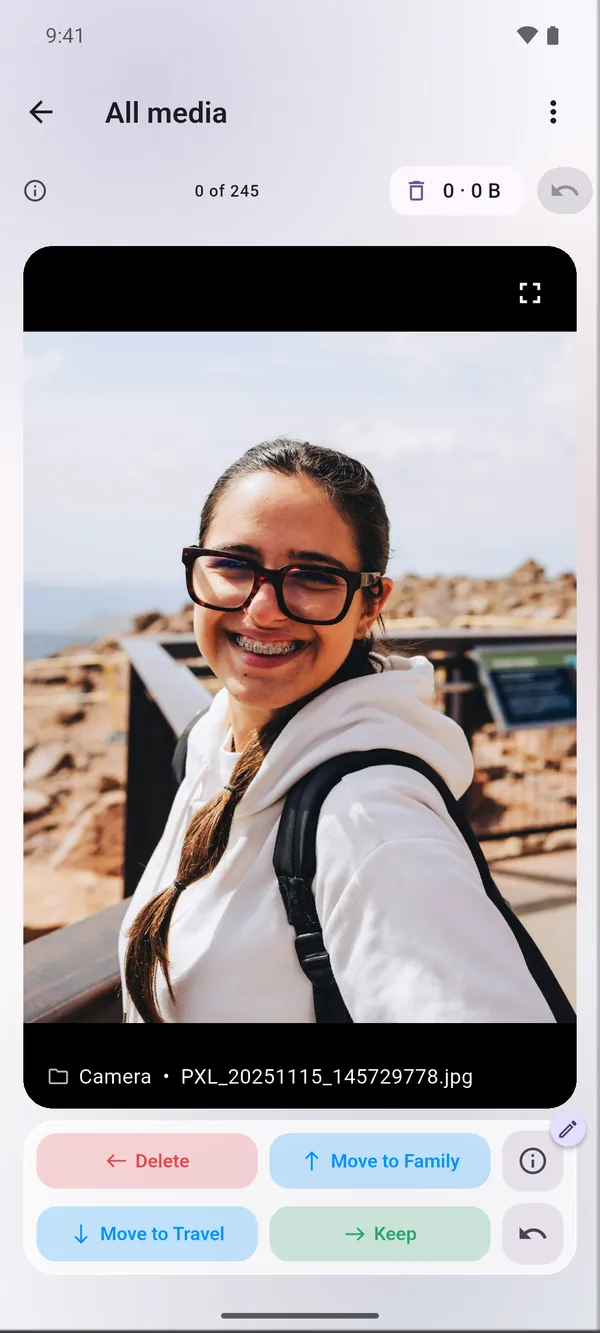
    One photo at a time, full screen. You can give any direction a different job, like moving photos into an album.

  2. 02

    Check the pile

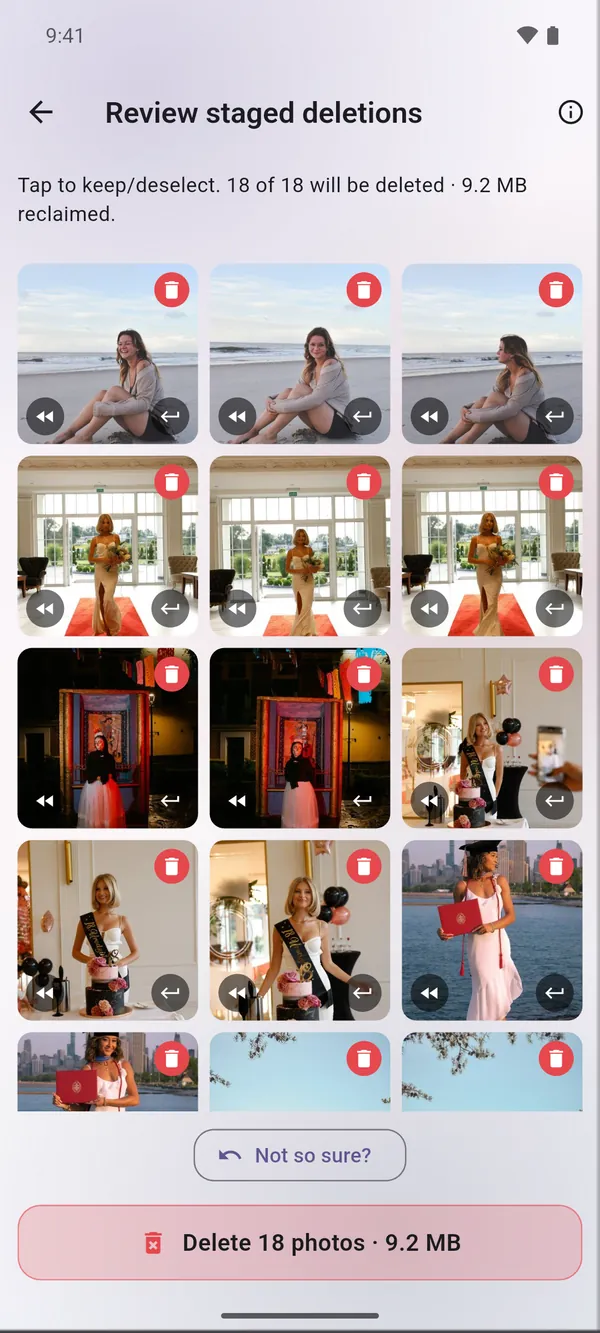
    Swiping only sets photos aside. Before anything is deleted you see them all, take back any you like and confirm once.

  3. 16.7 MB freed
    03

    Free up space

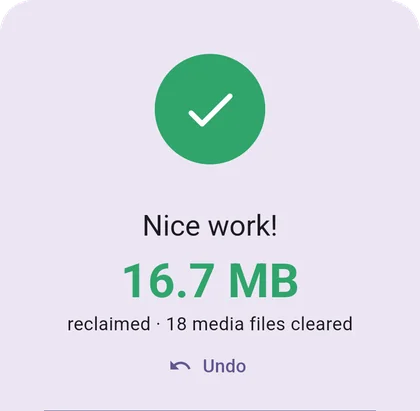
    Android asks one last time, then the photos go to your phone’s trash. Kept shows the space you got back and can undo the whole batch.

Features

Everything you need to clear the clutter

Find similar

Keep the best shot

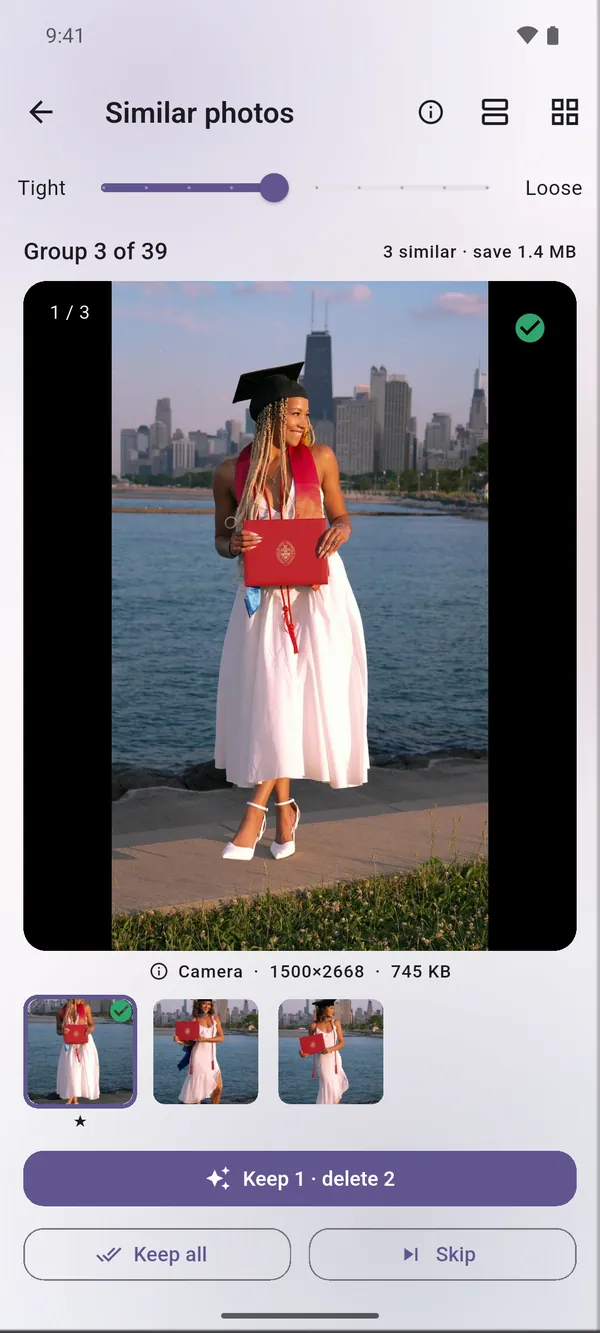
Ten tries for one good photo? Kept compares your pictures by shape and colour and groups retakes, near-duplicates and copies, even a smaller copy of the same photo. In every group it marks the sharpest shot. One tap keeps it and sets the rest aside.

  • A Tight-to-Loose slider decides how alike photos must be
  • Focus on one folder at a time
  • Works for videos too: copies and retakes of the same clip
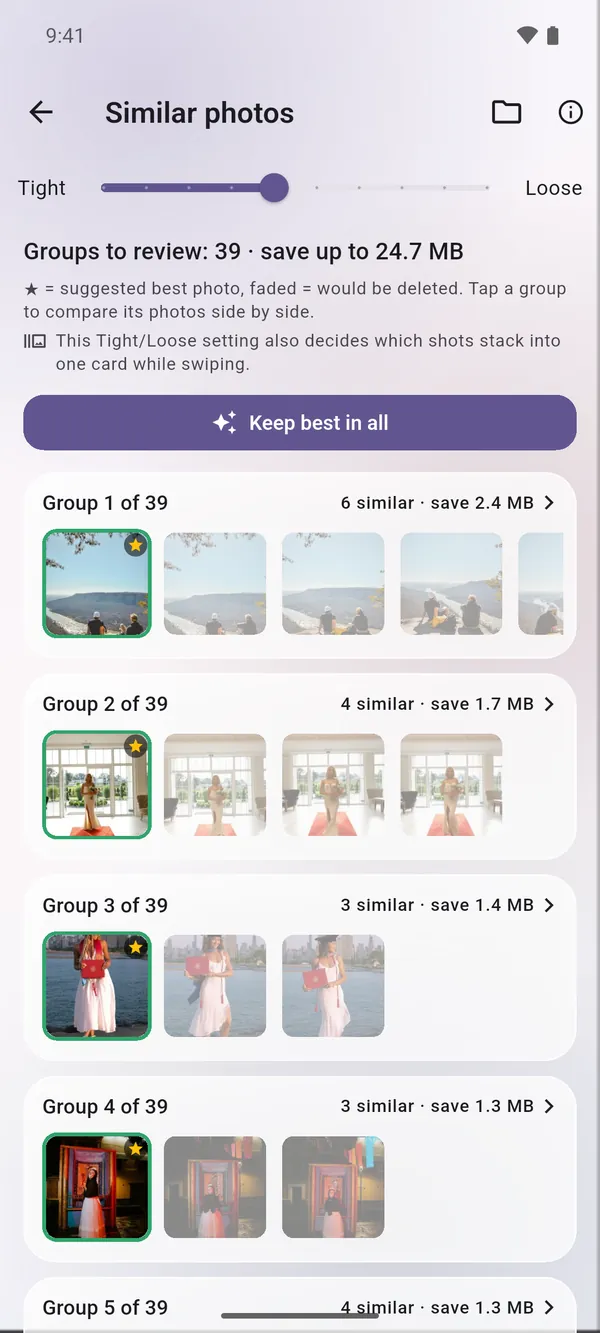
Overview of all groups of similar photos
Kept showing a group of three similar photos with the sharpest one marked
Stacks

Bursts become one swipe

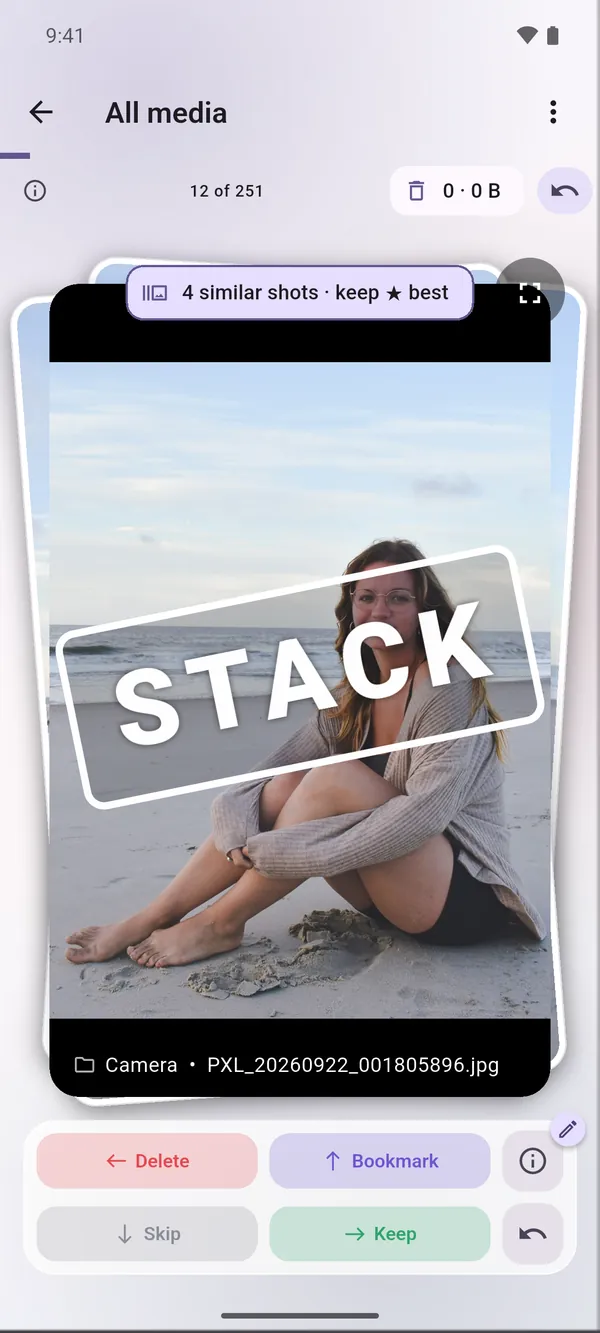
When a series of similar shots comes up while you swipe, Kept stacks it into one card with the best shot on top. Swipe right to keep the best and clear the rest, swipe left to clear the whole series, or tap the stack to choose yourself.

  • A STACK stamp and fanned-out prints, so you never clear a series by accident
  • One undo brings the whole stack back
A stack of four similar shots with the STACK stamp in Kept
Videos

Videos too

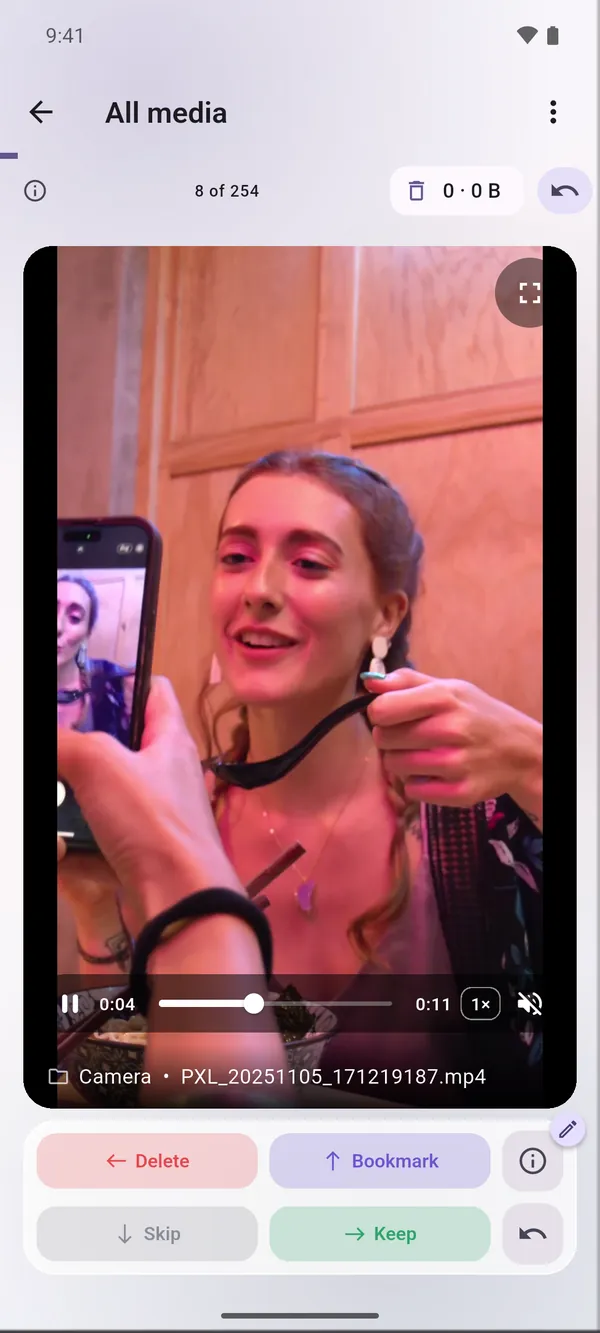
Videos take up the most space. Kept puts them in the same swipe flow, with a scrubber that shows frames as you drag, sound on demand and playback up to 5× faster. Its video tools find big files, copies of the same clip, accidental clips under three seconds and screen recordings.

  • Turn videos on or off at any time
  • Large videos: you choose the minimum size
A video in Kept with the scrubber and playback controls
Cleanup tools

Clean up in one tap

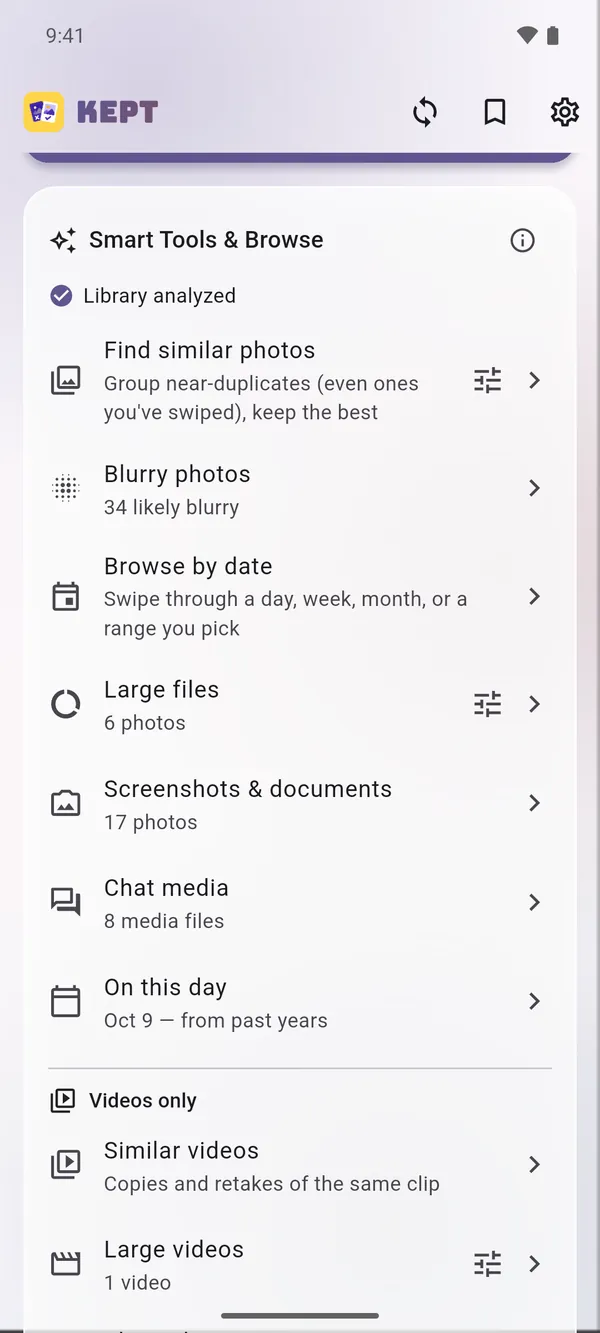
Kept checks your library on the phone and sorts the usual clutter into piles, ready to swipe.

  • Blurry photos
  • Screenshots and photographed documents
  • Large files, biggest first
  • Chat media saved from WhatsApp, Telegram, Signal and more
  • Browse by date: one day, week or month at a time
  • On this day: what you shot on this date in past years
Kept’s smart tools: similar photos, blurry photos, large files, screenshots and more
Albums

Sort into albums as you go

Give a swipe direction its own album: swipe up and the photo moves straight into your “Family” album. From an album’s menu you can keep, delete or move everything in it at once.

  • Move or copy, your choice
  • Uses the albums already on your phone
Swiping a photo into an album in Kept
Safe

Nothing’s gone until you say so

Swiping never deletes anything on its own. You check the pile, take back what you like and confirm the whole batch at once. The photos then go to your phone’s trash, and Settings → Deleted by Kept brings back any batch from the last 30 days.

  • Favourites and photos you protect in Kept are never touched by the cleanup tools
  • See how much space you freed, every time
Reviewing the deletion pile in Kept before confirming
Private

Private by design

Kept does all its work on your phone. There’s no account, and your photos are never uploaded, not to us and not to anyone else. Lock the app with your fingerprint if you like.

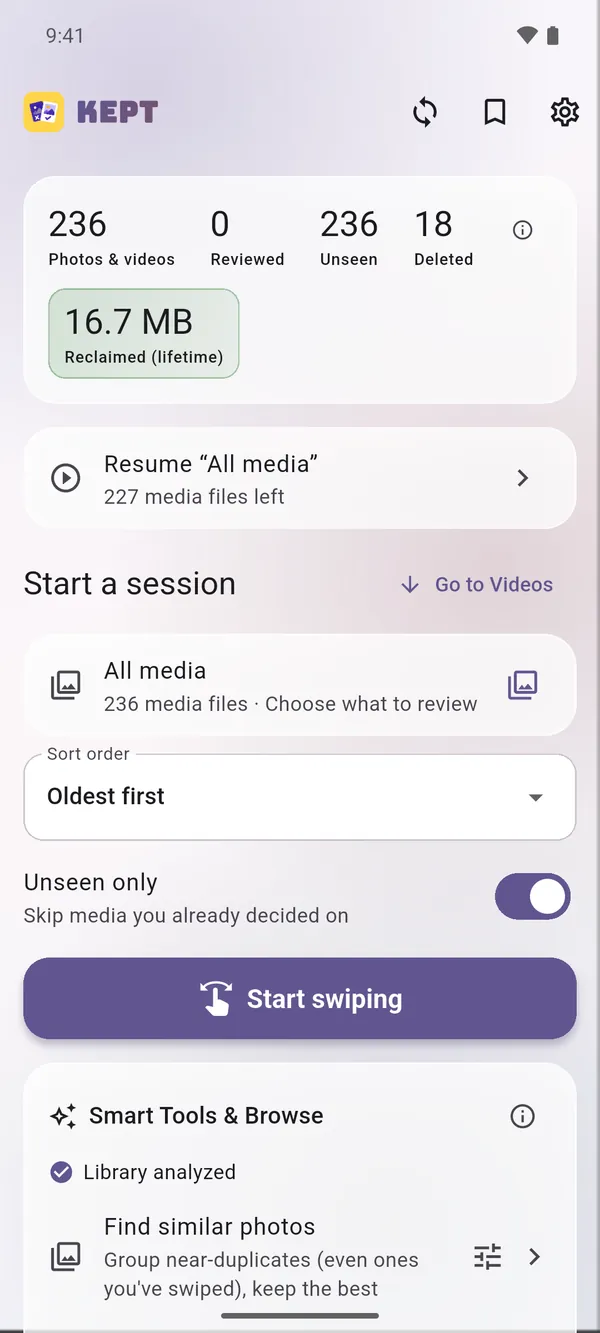
Kept’s home screen with library stats and the start button

And all the little things

Your swipes, your rules

Pick what each direction does: delete, keep, bookmark, skip, favourite, protect or move to an album.

Undo anything

Changed your mind? One tap takes back the last decision, stacks included.

Pick up where you left off

Kept remembers what you’ve seen. “Unseen only” skips everything you already decided on.

App lock

Keep Kept behind your fingerprint or face unlock.

12 languages

English, German, Spanish, French, Italian, Dutch, Polish, Portuguese, Turkish, Indonesian, Japanese and Korean.

Phones and tablets

A two-column layout makes good use of big screens.

A limit, if you want one

Set your own daily swipe limit and Kept tells you when to take a break.

Streaks, if you like

Optional streaks and milestones for a little extra motivation.

Compare

Kept vs. the usual photo cleaner

Many photo cleaners on Google Play are free to download and then ask for a weekly or yearly subscription before you can really use them. Kept works the other way round.

CompareKeptTypical subscription cleaner
What it costsFree. A one-time purchase removes the ads, if you want.A weekly or yearly subscription, often after a short free trial.
What’s freeEverything: similar photos, stacks, videos and every cleanup tool.Basic swiping. The smart tools need the subscription.
Daily limit150 swipes a day, then keep going after a short ad. No limit with PRO.A hard cap until you subscribe.
Your photosAnalysed on your phone. No account, no upload.Varies. Some need an account or process photos online.
Before deletingYou review the pile, then it goes to the phone’s trash in one batch, with undo.Varies from app to app.

What people complain about in other photo cleaners

We read 3,121 one- and two-star reviews of 16 photo cleaner apps on Google Play (US and Germany, October 2026). These were the most common complaints, and how Kept handles each one.

A review can mention several topics.

  • Price, subscription or free trial41%

    No subscription and nothing locked. PRO is a single purchase.

  • Ads11%

    A small banner on the review screen and in the “done” message. A video ad only if you choose one to keep swiping past 150 photos a day.

  • It didn’t free any space7%

    Kept shows the space every batch frees. Deleted files wait in the phone’s trash for about 30 days in case you change your mind.

  • Swipe limits5%

    150 free swipes a day, more anytime after a short ad, none with PRO.

  • Privacy2%

    Photos are analysed on the phone and never uploaded.

  • It deleted photos I wanted0.4%

    Nothing is deleted until you confirm, favourites are protected, and you can undo.

Pricing

Free, and fair

Every feature is unlocked for everyone. No free trials, no surprise charges.

Free
Free
  • Every feature, no trial
  • 150 swipes a day, more after an optional short ad
  • A small banner on the review screen
Get it on Google Play
Kept PRO
Once one-time purchase
  • No ads, anywhere
  • No daily limit
  • Pay once. Restore it on a new phone with the same Google account

The price for Kept PRO is shown in Google Play and depends on your country.

FAQ

Questions, answered

Is Kept really free?

Yes. Every feature works without paying. Kept shows a small banner and, after 150 swipes a day, offers a short video ad to keep going. If you’d rather have no ads at all, Kept PRO removes them with a single purchase. There is no subscription.

Does Kept upload my photos?

No. Kept analyses your photos on your phone and never uploads them, and you don’t need an account. The free version loads ads from an ad network, which can use your phone’s advertising ID. The privacy policy has the details.

Can I get deleted photos back?

Yes, for about 30 days. Deleted photos go to your phone’s trash first. In Kept, open Settings → Deleted by Kept and restore a whole batch; Android asks you to confirm. After about 30 days Android removes them for good. More in our guide Where is “Recently deleted” on Android?

Does Kept work with Google Photos?

Kept works with the photos and videos stored on your phone, including the ones Google Photos backs up. Photos that only exist in the cloud don’t show up in Kept, and cloud albums can’t be used as a destination when you move photos.

How does Kept pick the best photo?

In every group of similar shots Kept marks the sharpest one, measured on the photo itself. You can tap another photo to keep that one instead, or keep them all.

Will Kept delete my favourites?

Find similar, the cleanup tools and the bulk actions never delete favourites (photos you hearted in your gallery) or photos you protect in Kept.

Which phones does Kept run on?

Android phones and tablets with Android 11 or newer. Kept isn’t available for iPhone yet.

Which languages does Kept speak?

English, German, Spanish, French, Italian, Dutch, Polish, Portuguese (Brazil), Turkish, Indonesian, Japanese and Korean. It follows your phone’s language, and you can change it in Settings.

Ready for a tidier gallery?

Free on Google Play. No subscription, nothing locked.

Get it on Google Play